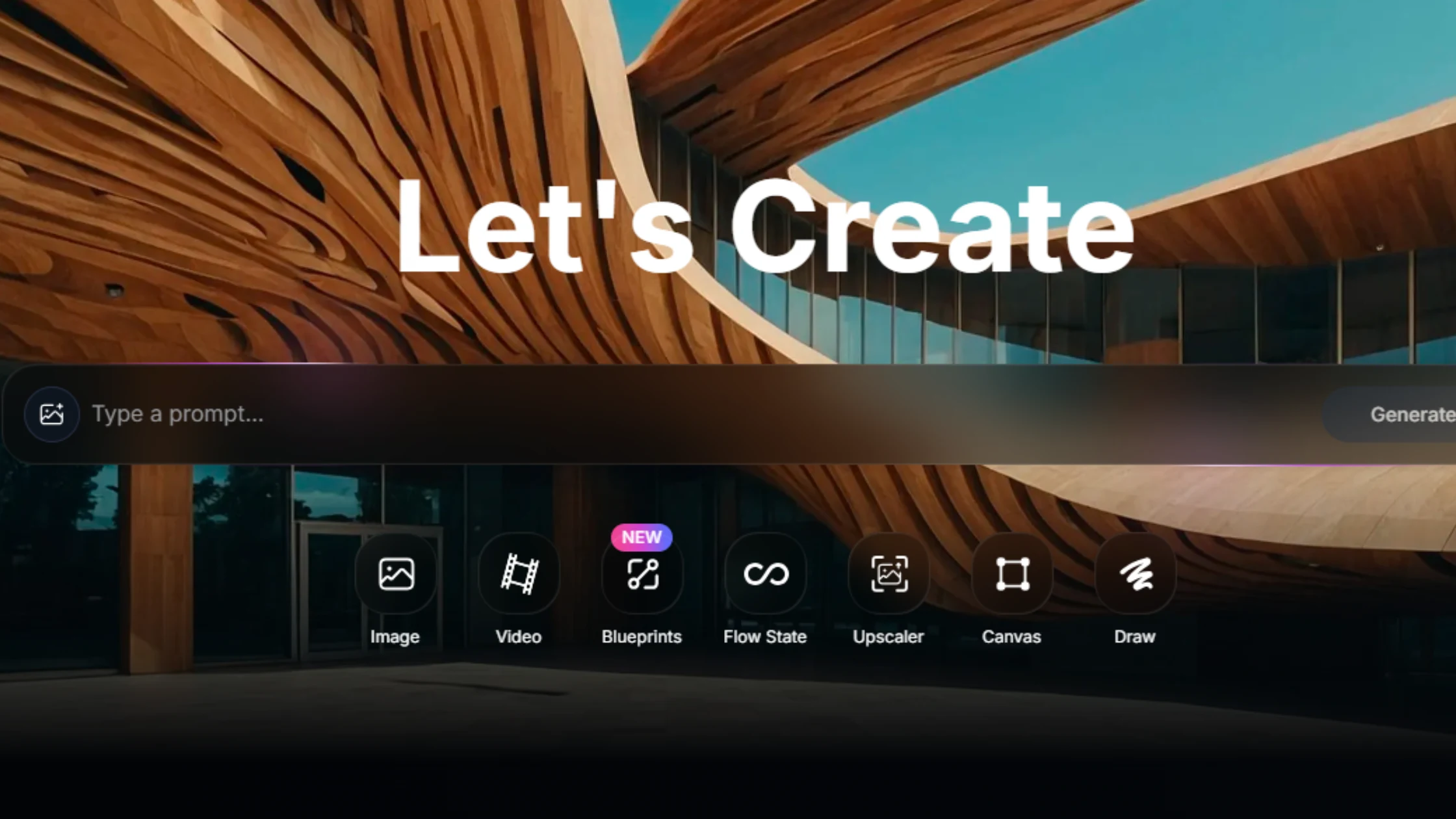
Imagine having a paintbrush that listens to your words. You say “sunset over a cyberpunk city,” and boom, there it is. That’s Leonardo AI. It’s not magic. It’s a very smart AI image generator.
This tool is changing how artists, gamers, and dreamers create. You may be looking for a free Leonardo AI experience. Or you want a deep Leonardo AI review. Maybe you’re curious about Leonardo AI pricing. We’re going to unpack it all.
This is your guide to the Leonardo AI tool. We’ll discuss its features, how to use it, and whether it’s right for you.
Table of Contents
What is Leonardo AI, Really?
Let’s break it down simply. Leonardo AI is a website where you type words, and it makes pictures. You use the Leonardo AI text-to-image feature. Type a “prompt” like “a wise old owl with galaxy feathers.” The AI thinks for a second. Then it shows you four images. You pick your favorite.
That’s the core. But it’s so much more than that. It’s built on technology similar to Stable Diffusion. This makes it powerful and flexible. Unlike some black-box tools, Leonardo AI gives artists control. It’s an AI art generator for people who want to steer the creation, not just watch.
- It’s for Creators: Game designers, digital artists, marketers.
- It’s a Platform: More than just a generator, it’s a workspace.
- It’s Evolving: New models and features drop almost every month.
The Free Tier: Can You Really Use It for Free?
The big question. Is Leonardo AI free? Yes. And no. Let’s be real. There’s a free access level. You get 150 tokens per day. One image might cost 5-15 tokens depending on size and settings.
So you can make maybe 10-30 images daily for free. That’s a lot for a hobbyist! But there’s a waitlist. You sign up, get in line, and get access. The Leonardo AI free plan is a fantastic trial. You get to test the Leonardo AI image generator’s power.
You can explore most features. The catch? You can’t use images commercially on the free plan. And you have daily limits. But for learning and fun, it’s incredible.
Features That Make Artists Swoon
This isn’t a one-trick pony. The Leonardo AI features list is what makes it stand out. It’s like a full artist’s toolbox.
1. Multiple AI Models:
You don’t get one brain. You get a room full of expert artist brains. Each model has a style. Some are great for photorealism. Others excel at anime or fantasy art. You choose the brain for the job.
2. Image-to-Image (Canvas Editor):
This is a game-changer. Have a blurry sketch? Upload it. The AI will refine it based on your new prompt. You can also paint on the image and tell the AI to change just that part. This is AI image creation with precision.
3. Texture and 3D Model Generation:
This is huge for game developers. Leonardo AI for game assets is a major use case. You can generate seamless textures for walls, floors, or fabrics. You can even create simple 3D object sprites. This turns hours of work into minutes.
4. Prompt Generation:
Stuck? Use the Leonardo AI prompt generator. Describe a simple idea, and it will write a detailed, effective prompt for you. It’s like having a creative writing partner.
5. Training Your Own Model:
The crown jewel. You can upload 10-20 images of a style or character. Train your own custom AI model. Then generate endless images in that exact style. This is next-level generative AI for images.
Understanding the Cost: Leonardo AI Pricing
When you’re ready to go pro, you look at Leonardo AI pricing. It’s a monthly subscription. Think of it like a Netflix for creation.
- Apprentice ($10/month): 8,500 tokens per month. Good for regular hobbyists.
- Artisan ($24/month): 25,000 tokens. For serious creators and freelancers.
- Maestro ($48/month): 60,000 tokens. For power users and small studios.
- Enterprise: Custom pricing for big teams.
You buy tokens, you use them. Unused tokens roll over for a month. The paid plans remove watermarks, allow commercial use, and offer faster generation. Is it worth it? If you’re making money from your art, absolutely.
Leonardo AI vs. The World: Key Alternatives
No tool is an island. How does it stack up? Looking at Leonardo AI alternatives gives perspective.
- Midjourney: The gold standard for beautiful, artistic, “wow” images. It lives on Discord. Leonardo AI vs Midjourney? Midjourney is easier for stunning results. Leonardo is better suited for control and specific projects like game art.
- DALL-E 3: Integrated into ChatGPT. Brilliant at understanding complex, detailed prompts. Leonardo AI vs DALL-E? DALL-E is a prompt genius. Leonardo is a feature-packed workshop.
- Stable Diffusion (with UI like Fooocus): Free, open-source, and runs on your own computer. More technical, but unlimited and private. Leonardo is the polished, hosted version.
Your choice depends on your needs: ease, control, cost, or beauty.
A Day in the Life: How People Actually Use It
Let’s get gritty. Who uses this AI design tool for creators?
- The Indie Game Dev: Sarah needs 100 unique potion bottle icons for her RPG. Instead of drawing each one, she uses Leonardo AI for game assets. She generates 20 base icons in an hour. Then she tweaks them. Project saved.
- The Fantasy Author: Mark is writing a book. He uses the Leonardo AI art generator to create character portraits for his main cast. It helps him visualize and share his vision with a cover artist.
- The Social Media Manager, Lisa, needs 30 eye-catching visuals for a month of posts. She uses AI graphics generation software to create cohesive, branded images in minutes.
It’s a force multiplier. It doesn’t replace the artist. It makes the artist faster and more powerful.
How to Talk to It: Prompting for Great Results
The AI is smart, but you have to guide it. Here’s how to craft the best prompts for Leonardo AI.
The Basic Recipe:
[Subject], [Action], [Detailed Description], [Art Style], [Artist References], [Technical Terms]
Example of a bad prompt: “A dragon.”
Example of a good prompt: “A majestic crystalline dragon, soaring over a misty mountain peak at dawn, detailed scales reflecting the sunrise, digital painting, style of Greg Rutkowski and Albert Bierstadt, epic fantasy art, dramatic lighting, 8k.”
See the difference? You are the director. Give the AI a detailed script.
Pro Tips:
- Use the Prompt Generator to learn.
- Start with a general prompt, then use “Image-to-Image” to refine.
- Negative prompts are key. Tell it what not to do: “blurry, deformed hands, ugly.”
The Honest Review: Pros, Cons, and Quirks
After testing it, here’s a raw Leonardo AI review.
Pros:
- Unmatched control and features for the price.
- The free tier is genuinely useful.
- Constantly improving with new models.
- Perfect for practical, project-based work.
Cons:
- The interface can feel cluttered. There’s a learning curve.
- The “best” artistic beauty sometimes goes to Midjourney.
- You need to learn prompting to get great results.
It’s a toolbox, not a slot machine. You get out what you put in. For a certain kind of creator—especially in gaming and design—it’s the best AI illustration generator on the market.
Google-Optimized FAQs
Q: Is Leonardo AI completely free to use?
A: Leonardo AI offers a generous free tier with daily token allowances (around 150 tokens per day), allowing you to generate a number of images at no cost. However, for commercial use, higher volume, and advanced features like training custom models, you will need a paid subscription.
Q: What is Leonardo AI best used for?
A: It excels at practical, asset-focused creation. It’s a top choice for generating game assets (characters, items, textures), concept art for projects, product mock-ups, and marketing graphics. Its fine-tuned control makes it better for specific visions than for purely abstract art.
Q: How does Leonardo AI compare to Midjourney?
A: Leonardo AI vs Midjourney comes down to control vs. ease. Midjourney often produces more instantly “beautiful” and artistic images with simpler prompts. Leonardo AI offers more granular control, a canvas editor, model training, and is better suited for technical tasks like creating consistent character sheets or usable game textures.
Q: Can I create consistent characters with Leonardo AI?
A: Yes, this is one of its strengths. You can use the “Image-to-Image” feature with a reference picture, or better yet, use the “Train Your Own Model” feature (on paid plans). By training a model on 10-20 images of a character, you can generate that character in endless new poses and scenes.
Q: Do I own the images I create with Leonardo AI?
A: On paid plans, you own the assets you create and can use them commercially. Always check the latest Terms of Service. The free tier is for personal, non-commercial use only, and images may have a watermark.
Conclusion: Should You Try Leonardo AI?
If you have a project in mind, yes. Don’t just go to make pretty pictures. Go with a goal. “I need a logo idea.” “I need concept art for my comic.” “I need 50 icons.” Start with the Leonardo AI free tier. Play with the models. Try the Canvas editor. See if it’s brand of magic works for your brain. It might just become the most powerful tool in your creative kit. The barrier to making incredible visual art has never been lower. Your imagination is now the only limit.
References & Further Learning:
- Leonardo AI Official Website & Documentation
- Stable Diffusion Research Paper: Rombach, R., Blattmann, A., Lorenz, D., Esser, P., & Ommer, B. (2022). High-Resolution Image Synthesis with Latent Diffusion Models. Proceedings of the IEEE/CVF Conference on Computer Vision and Pattern Recognition (CVPR).
- Community Forums: Reddit r/LeonardoAI, Discord Community.
Disclaimer: Leonardo AI is a powerful tool for generating images. Users are responsible for ensuring their use of generated content complies with all applicable laws, copyright, and ethical guidelines. The AI can produce unexpected or biased content; critical review and editing of all outputs are essential.
Read More: What is AI Powered API Testing